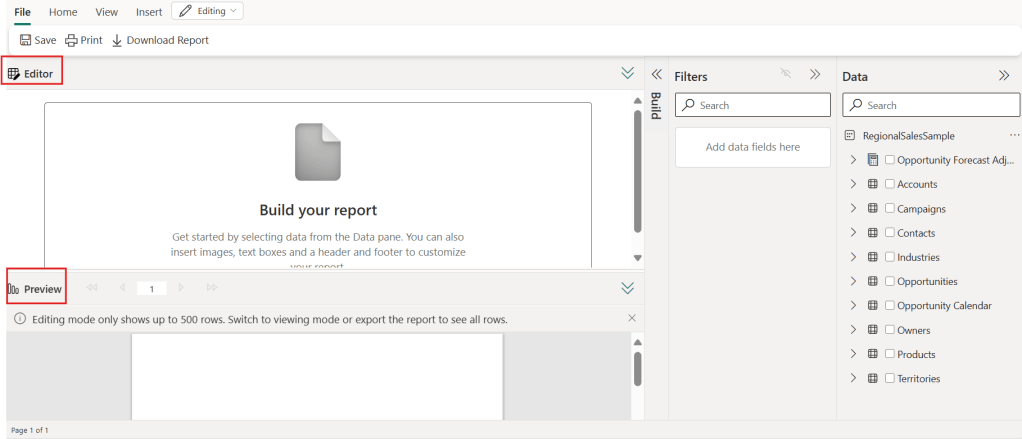
💠 New Report Creation Experience: Power BI has introduced a new experience for creating paginated reports, allowing you to easily add headers, footers, text boxes, and images.
💠 Editor and Preview: The Editor view allows you to create and update the report, while the Preview shows a rendering of the report with a sample of data.
💠 Report Example: It illustrates how to create a report on sales opportunities by selecting specific fields and adding headers and footers.
💠 Sharing and Saving: Reports can be saved and shared, and consumers need to input values to view the report.
👊🏽 Just Like That
 BEYOND THE PLATFORMS
Leave a comment