
What is a “Trigger”?
This concept is the foundation of Power Automate’s automated workflows. It is the action that triggers a Workflow, the first action. A sort of “Starter”.
Just like Workflows, something similar happens in Copilot Studio.
Triggers are linked to Topics, thus to the subjects of the conversation with the agent.
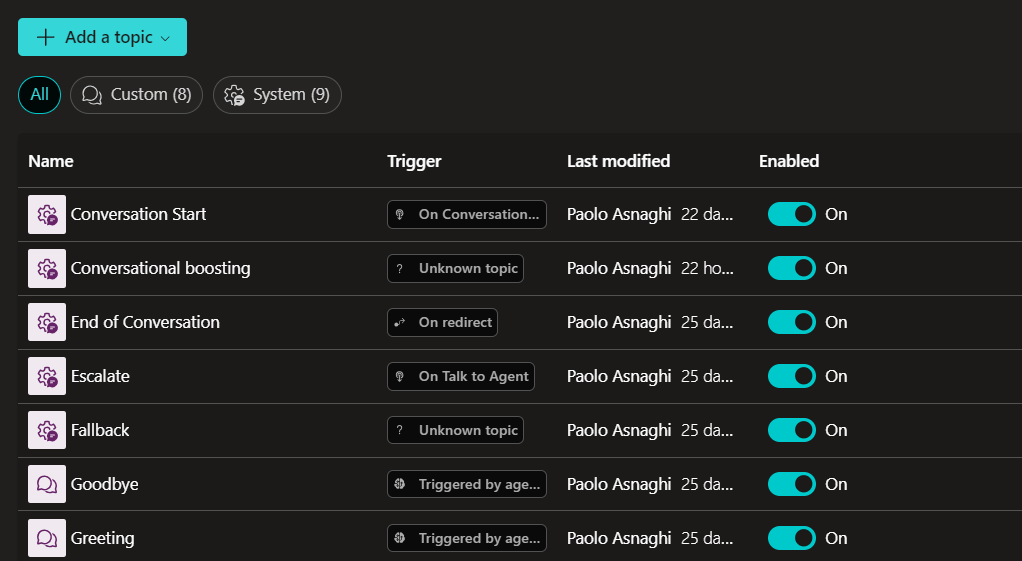
In the image, there are the native Topics.
What I will now do is create a custom Topic and manage its associated Trigger.
If you want to read more about Topics, I’ve written a specific article here
So why do I want to talk about Triggers?
Because for a few weeks now, there have been significant updates to make our agent autonomous.
So, after creating our Topic, we need to manage our Trigger. These are the current options.
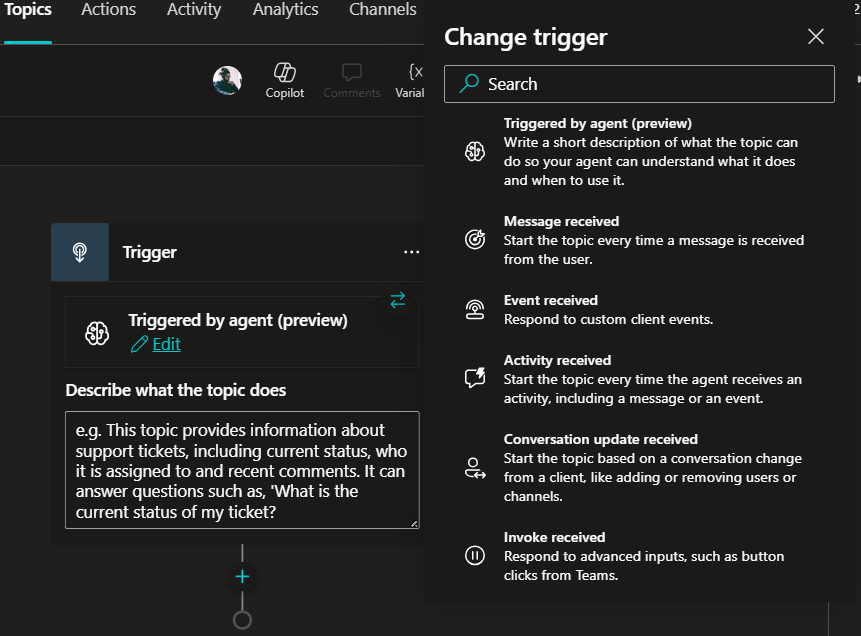
Triggered by agent
Message received
Event received
Activity received
Conversation update received
Invoke received
On redirect
Inactivity
Plan Complete
Compared to the recent past, with these Triggers, we can truly make our agent autonomous since all Triggers activate when an event occurs.
💠 I decide to use “Message received” to anticipate and manage sentiment analysis.
💠 I want the various steps to be activated only when the sentiment is negative to escalate to a human agent.
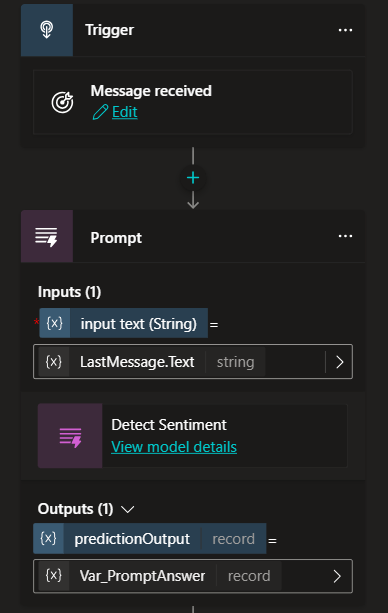
In order, I will use the following.
1.Trigger “Message Received”. It activates upon receiving each message.
2.Action “Prompt” to analyze the sentiment. Through “Prompt by AI Builder”, we can create objects to incorporate into our agent, based on AI.
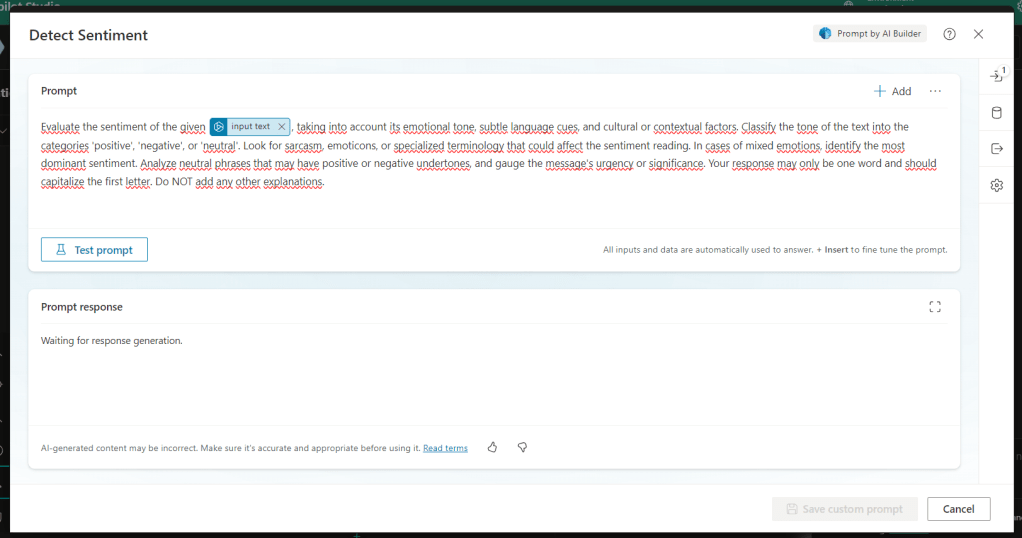
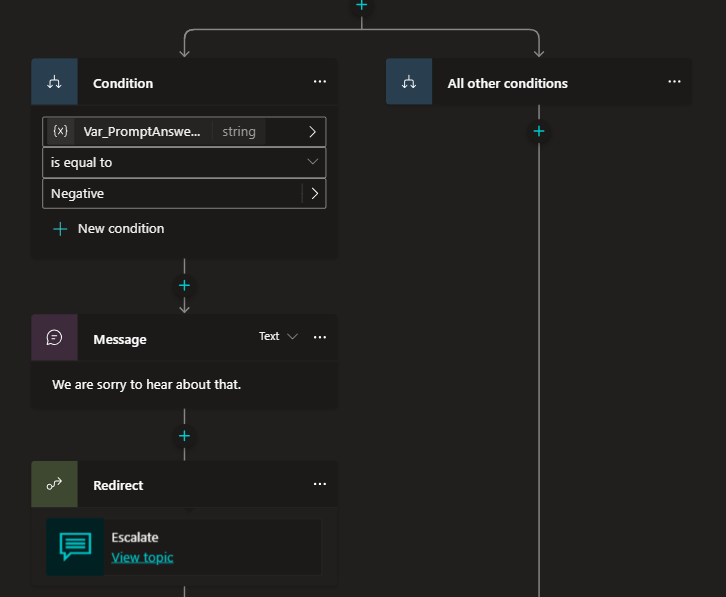
3.Condition. Which will select only inputs with “Sentiment = Negative”
4.Message. The agent will write a message to the user.
5.Redirect. The agent will escalate to a human agent, calling an existing and native Topic.
The structure is as follows.
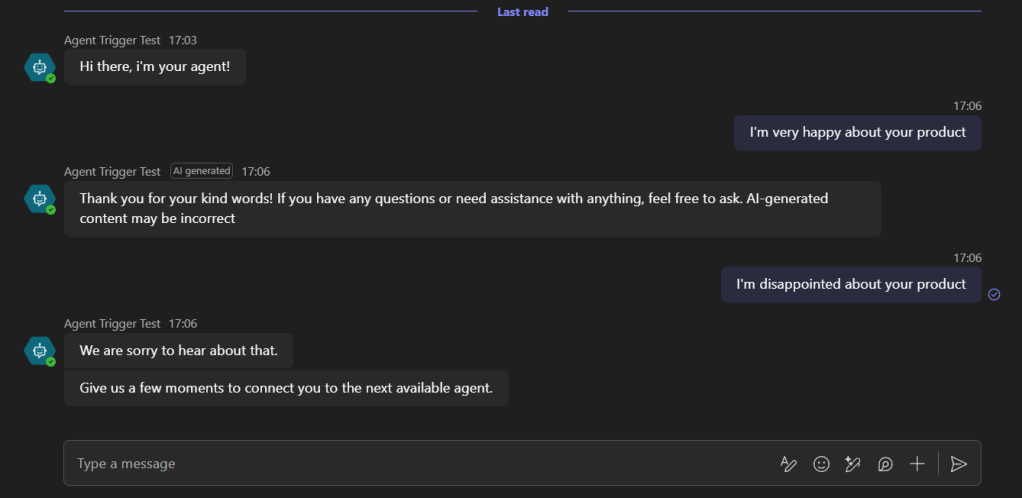
I publish and incorporate the agent into Teams to test it.
As you can see, I first gave positive feedback and then negative feedback. The execution of the Topic and thus the Trigger was successful.
If you are not yet familiar with all the potential of Copilot Studio and Agents, follow me here.
 BEYOND THE PLATFORMS
Leave a comment