
Have you ever thought about extracting information from invoices, receipts, or classifying customer feedback? Or even recognizing objects from an image?
Within the Power Platform, there are ready-to-use templates that can be customized.
AI Model
Both in Automate and Apps, we have the AI Hub. A place where we can find ready-to-use Prompts and AI Models. I click on AI Models.
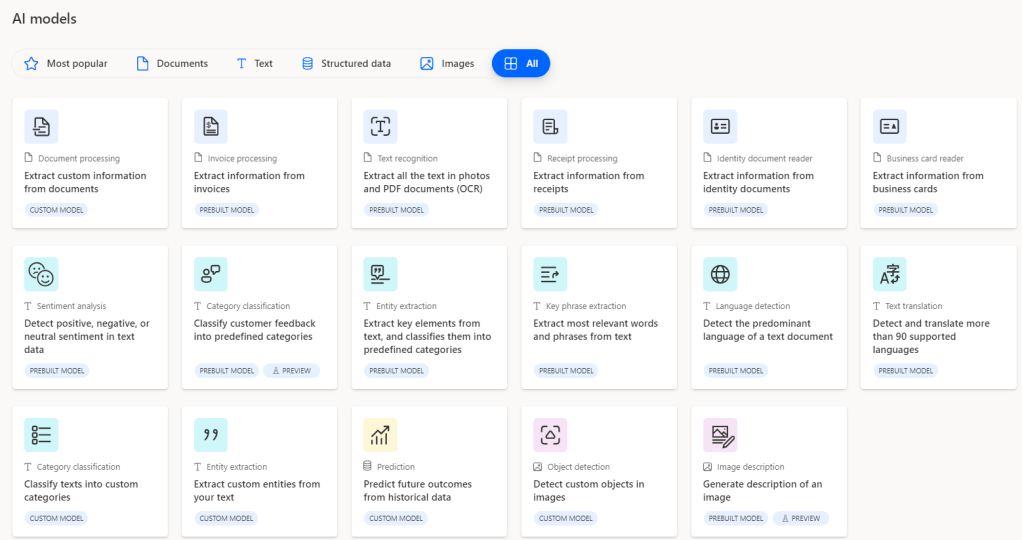
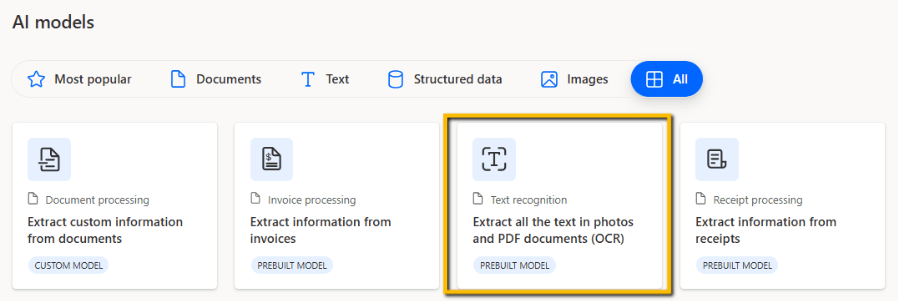
For this case, I decide to use a “Text recognition” type that extracts text from documents and images (similar to OCR).
When opened, we can see on the left that some documents have already been pre-loaded, to be used as examples.
In the center, the image being processed.
On the right, the extracted information.
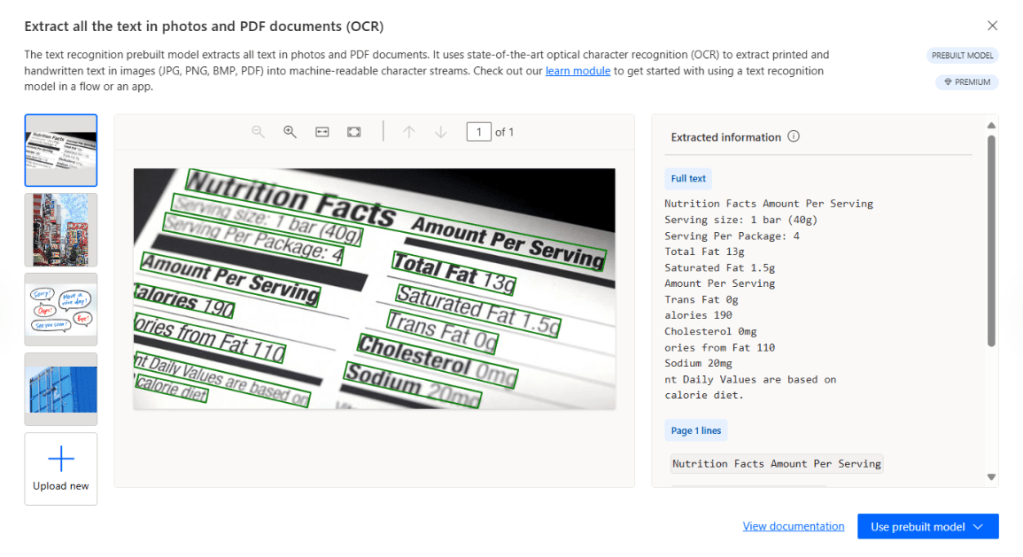
By clicking on “Upload new,” I can upload a personal document and understand how the model extracts the information.
*I previously created a PDF file of a rental contract.
The model recognizes dozens of different languages and accepts the following formats:
JPG
PNG
BMP
Uploading my file, here is the result.

At this point, understanding how the model works, I can try to integrate it into a workflow or an app.
I just need to select “Use prebuilt model” at the bottom right.
For convenience, I go to Power Apps. I just click “Use in an app” and I’m redirected to a new application with the component ready to use.

And now?
Now I have all the data available to extract.
For example, I create a simple “Label” to display them.
I select the “Label” component and in the “formula bar,” I enter “TextRecognizer1.FullText”

Or I insert a “Data Table.” In the “formula bar,” I enter “TextRecognizer1.Results.Text”
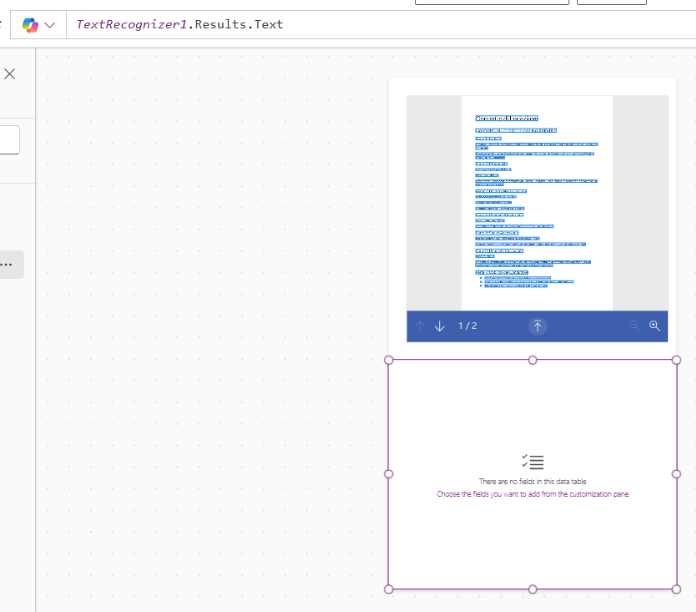
Finally, on the properties, I add the text field

From my experience, we are always looking for features that can make our work easier. Sometimes small solutions like these can bring a significantly higher level of innovation compared to what we have at hand.
Imagine a device that reads business cards, collects, and saves the information.
Or maybe an application that can help people in terms of accessibility.
What would you use it for?
Boom Done 💣
Follow me:
 BEYOND THE PLATFORMS
Leave a comment