
In the world of Business Intelligence, the boundary between analysis and action has always been clear-cut. But with the introduction of Translytical Task Flows, Power BI breaks down this barrier, ushering in a new era where reports no longer just tell what’s happening but become active tools to intervene in real-time.
What are Translytical Task Flows?
Translytical Task Flows are interactive workflows that allow users to edit data, send notifications, initiate approvals, and integrate AI directly within a Power BI report—all without leaving the context of the report itself.
This feature is made possible through Microsoft Fabric’s User Data Functions, enabling write operations on SQL databases, lakehouses, warehouses, and connected data sources.
From Data to Action
Here are some of the actions you can now perform directly from a Power BI report:
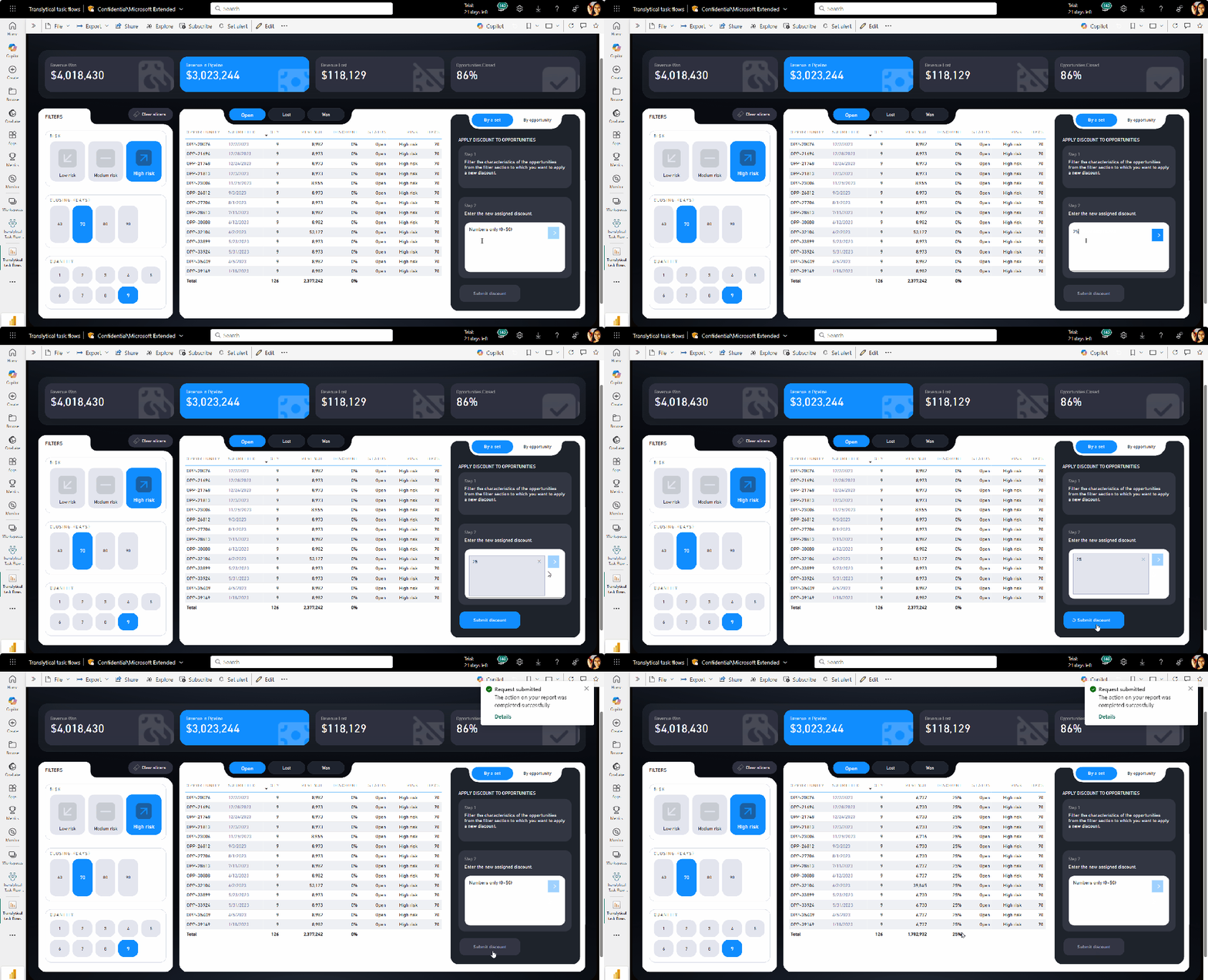
- Data editing: Update, add, or delete records based on active filters. For example, you can modify a discount by entering a new value and clicking a button to update the database in real time.
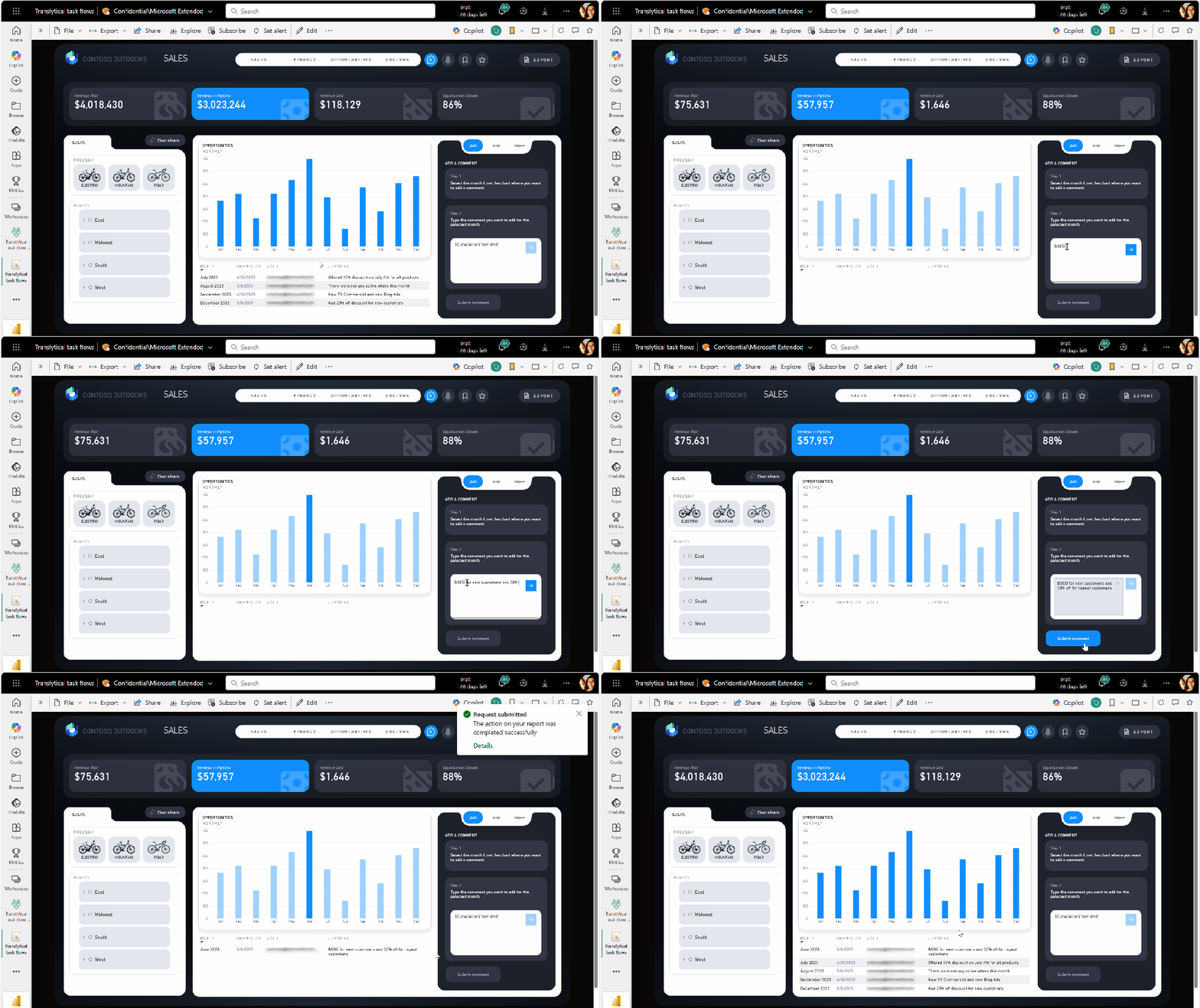
- Data annotations: Add contextual comments to data points, such as notes on monthly sales, visible and editable directly within the report.
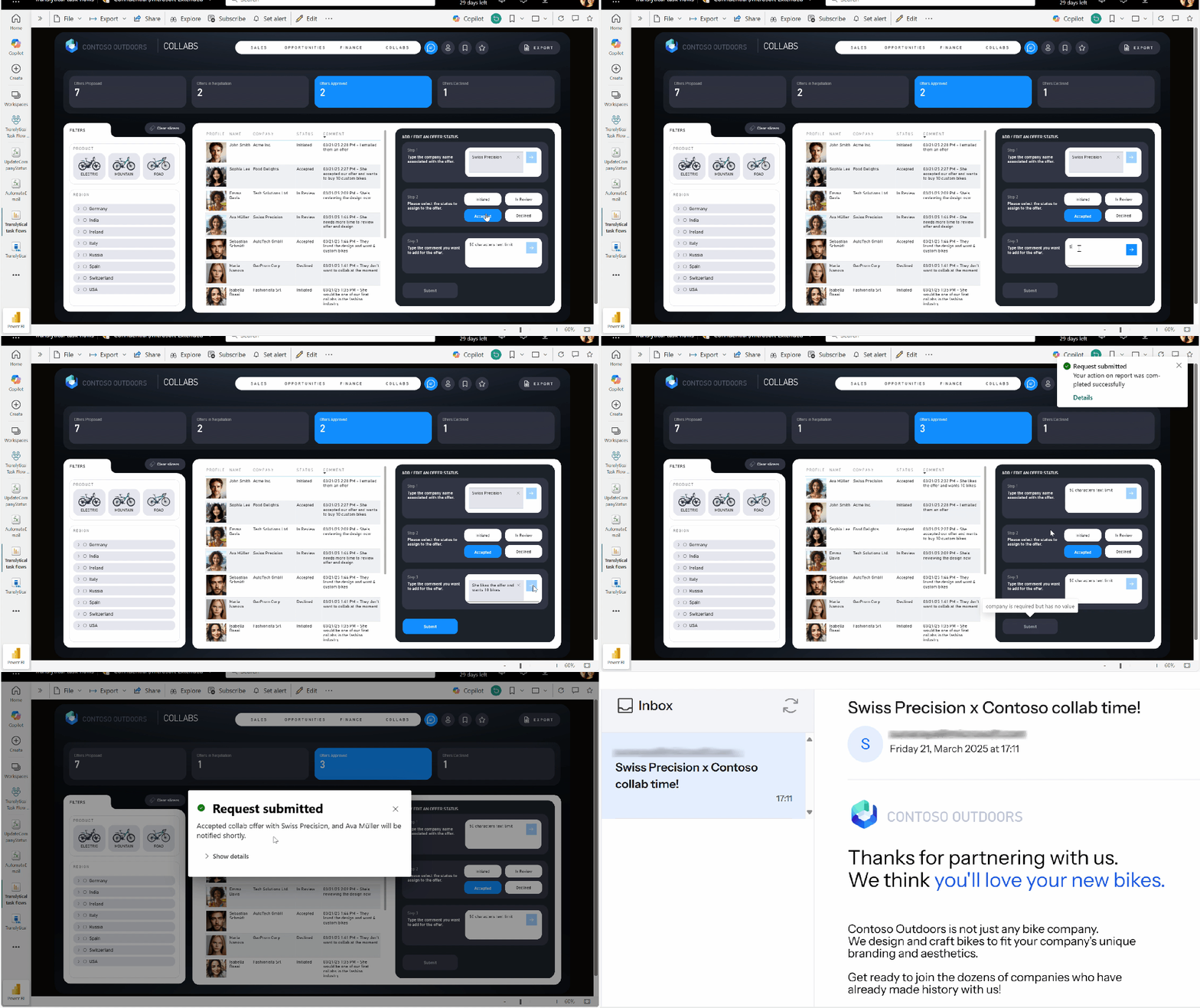
- Dynamic notifications: Automate the sending of emails or messages when an offer’s status changes or a request is approved.
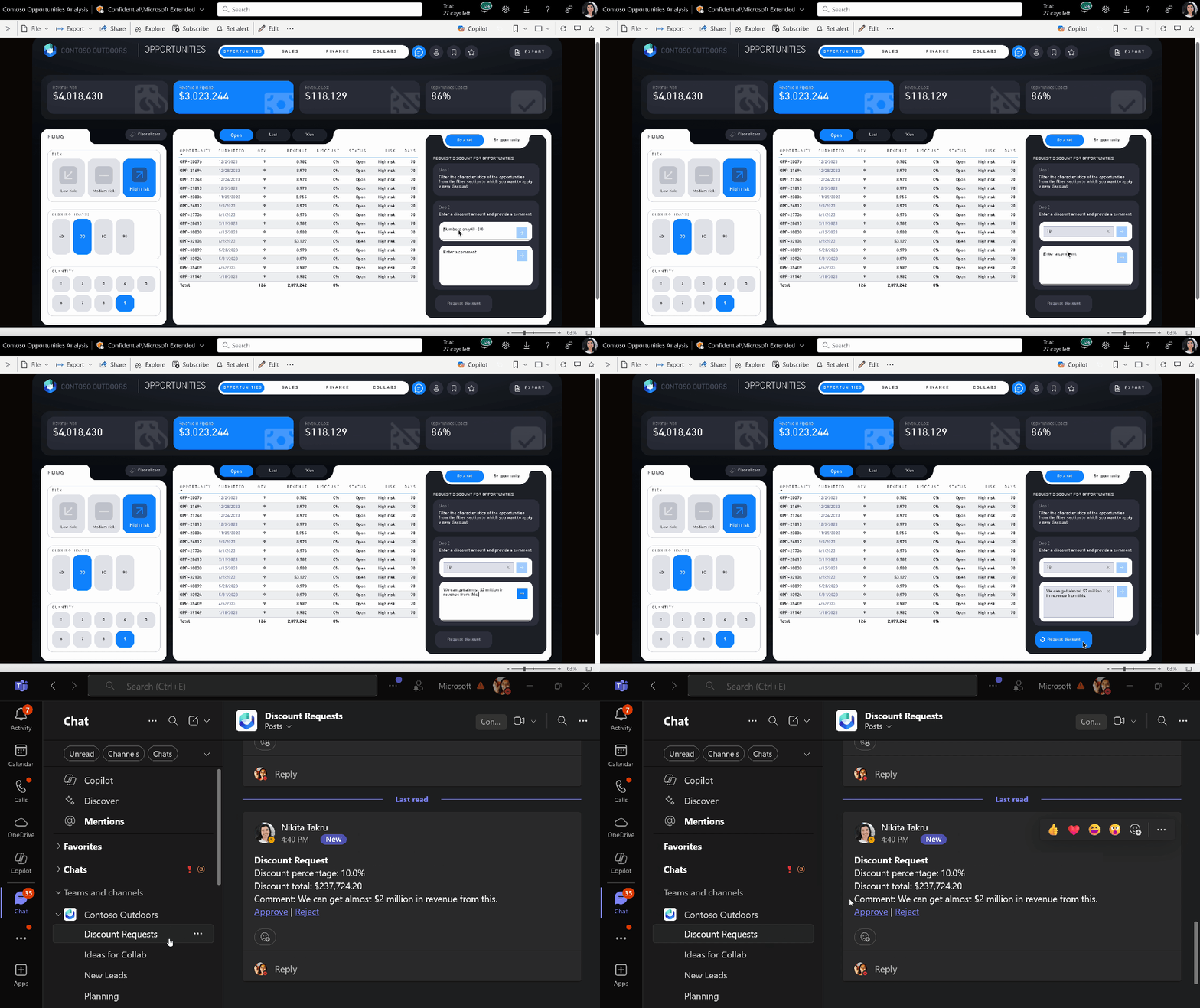
- Approval workflows: Allow users to propose changes (e.g., discounts) that are then approved by an administrator through a flow integrated with Teams.
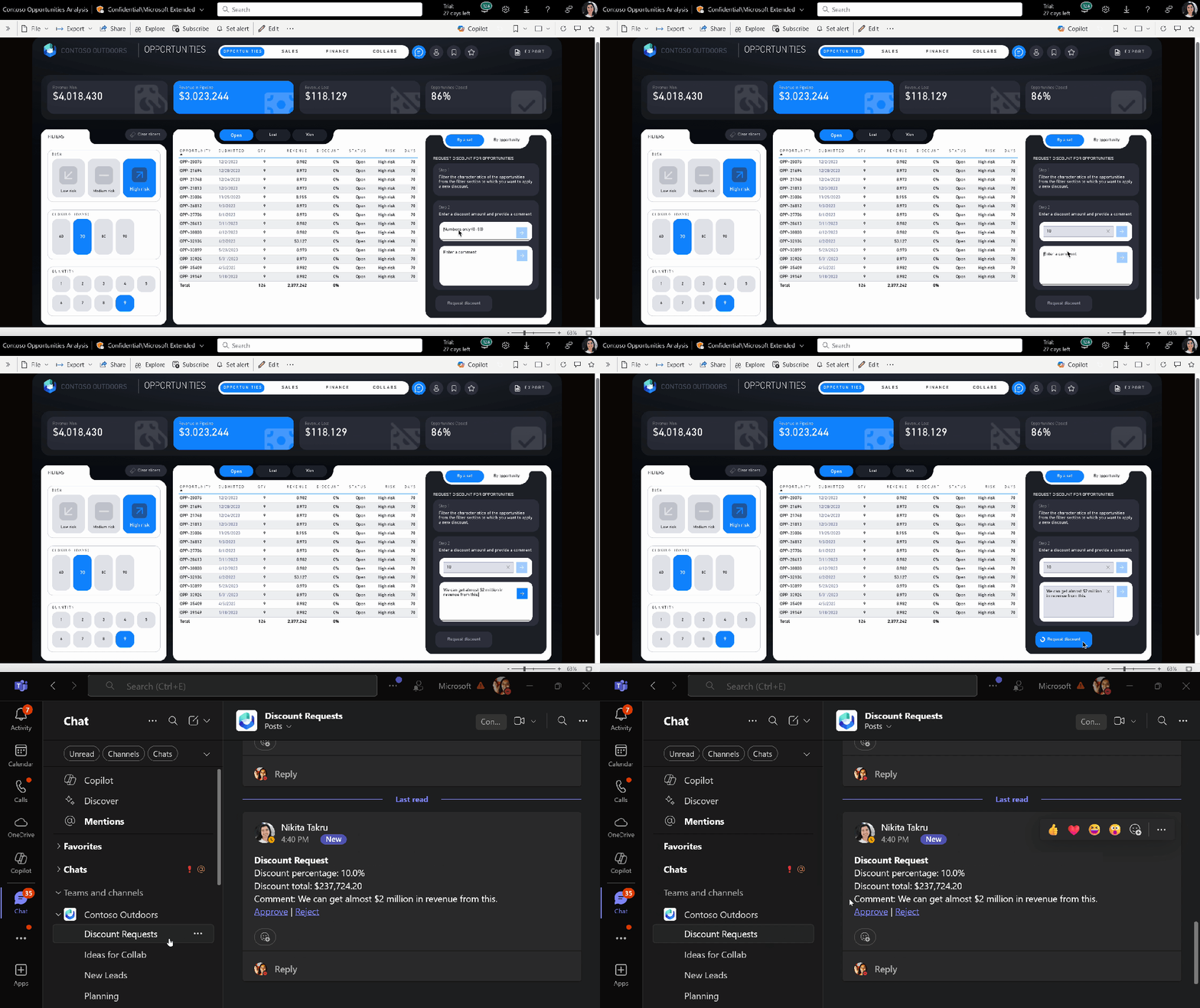
- AI and external data integration: Enhance report data with additional information retrieved via APIs, such as updated contacts for a partner.
Why is it groundbreaking?
With Translytical Task Flows, Power BI is no longer just a visualization tool; it becomes an operational hub. Decisions are not only made faster but also executed directly in the context where they originate.
This approach dramatically reduces the time between insights and action, enhances team collaboration, and paves the way for advanced automation scenarios without needing external tools.
Want to try Translytical Task Flows?
Activate the preview feature by going to File > Options > Preview features in Power BI Desktop and start building your first flow.
Power BI is transforming… are you ready?
Boom, done 💣!
Follow me:
 BEYOND THE PLATFORMS
Leave a comment