Category: News
-
Power Apps – Copilot
❕ By using Copilot within Power Apps, we can obtain business information. 💠 By enabling the option within the Power Platform Admin Center, we can insert a new “Copilot Answer” object into the App and connect it to a Dataverse data source… and it’s done. Link here 👊🏽 Just Like That
-
Power Apps – Copilot
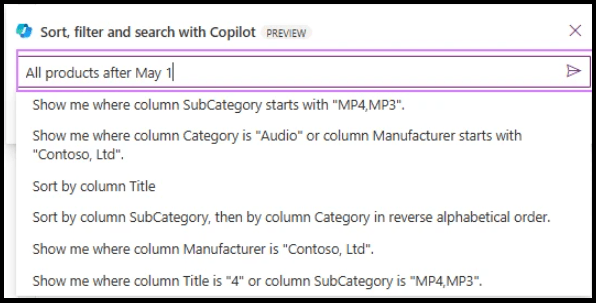
An important announcement has been made by Microsoft. 💠 With the latest release, we can now use Copilot to filter, sort, and search items in Galleries. 💠 Copilot then narrows down the records to meet the query. 💠 It displays a “Filtered” badge in the top right corner of the gallery. The exact query executed…
-

Power Platform – Security
Security and efficiency in application development are crucial. With the recent public preview of Managed Identity support for Dataverse plug-ins on Power Platform, we are finally making a significant step forward. This innovation eliminates the need to manage credentials, reducing the risk of unauthorized access and simplifying the connection with Azure resources that support managed…
-
Power Apps – July 2024 Feature Update
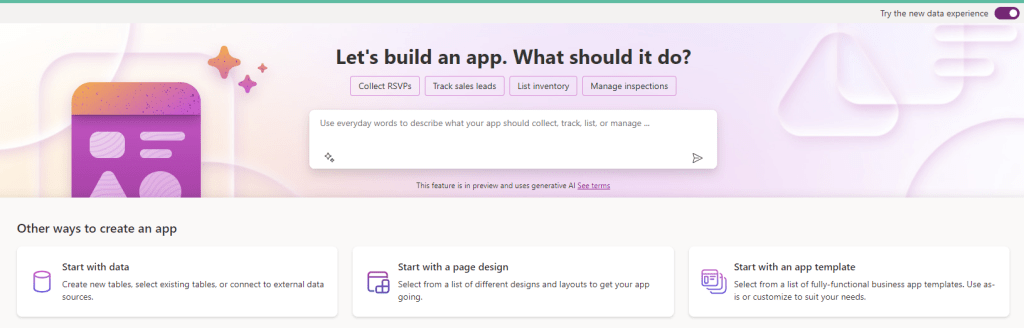
As usual, here are the new features for the month: 💠 Explain formulas in more languages: Explaining a formula can be useful when someone else has written a formula and you are trying to understand it, when learning Power Fx, or when validating Power Fx generated for you by Copilot. Now, language support is available in…
-
Power BI – New Paginated Report
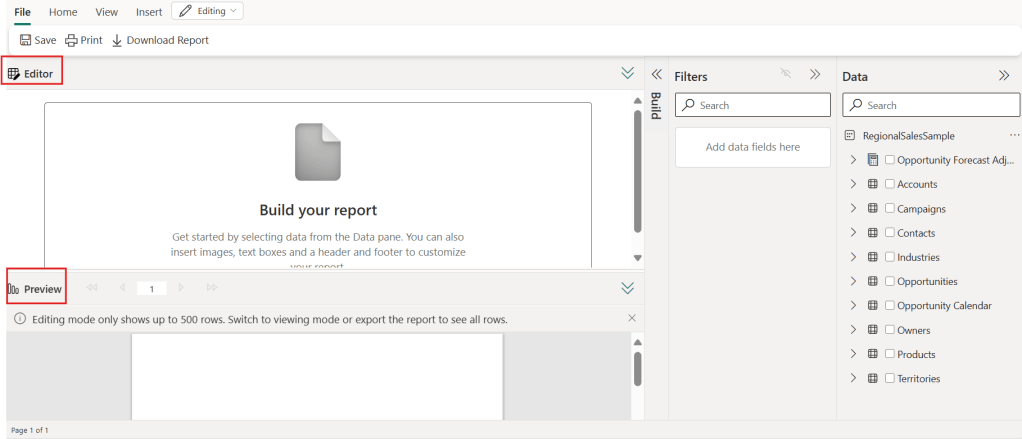
💠 New Report Creation Experience: Power BI has introduced a new experience for creating paginated reports, allowing you to easily add headers, footers, text boxes, and images. 💠 Editor and Preview: The Editor view allows you to create and update the report, while the Preview shows a rendering of the report with a sample of…
 BEYOND THE PLATFORMS