Category: powerapps
-

Power Apps – Keyboard Shortcuts
If you’re like me and use Power Apps, this is definitely the way to take it to the next level. Keyboard shortcuts on Power Apps have been around for a while, but not everyone uses them. Below is a valuable list of the most useful ones. Boom Done 💣 Follow me: LinkedIn YouTube
-

AI Builder
Have you ever thought about extracting information from invoices, receipts, or classifying customer feedback? Or even recognizing objects from an image? Within the Power Platform, there are ready-to-use templates that can be customized. AI Model Both in Automate and Apps, we have the AI Hub. A place where we can find ready-to-use Prompts and AI…
-

Copilot & Power Apps
Copilot is perfectly integrated into Power Apps and certainly there will be other interesting updates in the future. There are 2 functions that bring an advantage in app design: Generate Power Fx Formulas: If you have never tried this feature, now is the time to do so! Imagine you want to create a label that…
-
Power Apps – Copilot
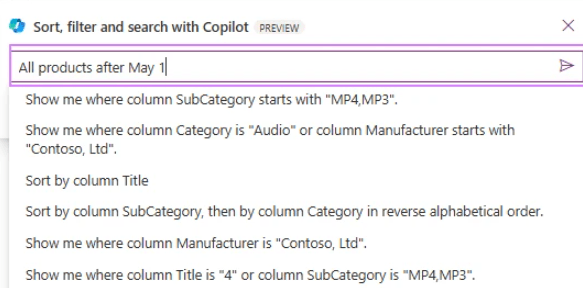
Finally, from today, Power Apps developers can use Copilot to quickly filter, sort, and search items in canvas app collections with SQL Server. This feature adds to the previously released functionality related to SharePoint. 💠 Copilot uses natural language to generate a query in the database. 💠 It defines the scope of the current view…
-

Power Apps – Plan
Important news is coming from the Power Platform Community Conference. One of the key highlights is the concept of “Start with a plan.” Let’s take a closer look at what this entails. Solutions almost never start with coding or designing the user interface; instead, they must first go through some necessary steps: 💠 Understanding the…
 BEYOND THE PLATFORMS