Tag: Copilot
-
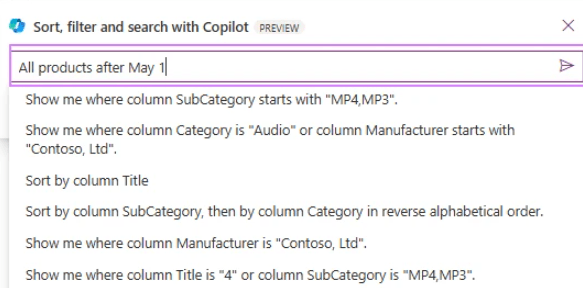
Power Apps – Copilot
Finally, from today, Power Apps developers can use Copilot to quickly filter, sort, and search items in canvas app collections with SQL Server. This feature adds to the previously released functionality related to SharePoint. 💠 Copilot uses natural language to generate a query in the database. 💠 It defines the scope of the current view…
-
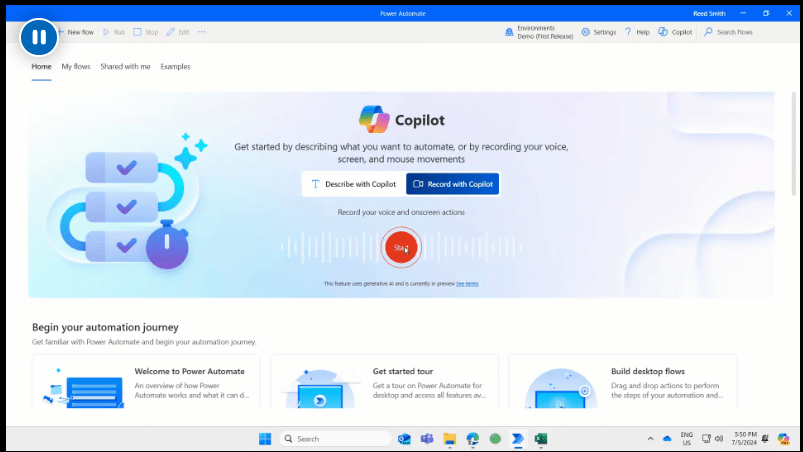
Power Automate Desktop – Copilot
Given the current times, a new feature has arrived on Power Automate Desktop: “Record with Copilot”.Developers can now create a desktop flow simply by sharing their screen and describing the task they want to automate. 💠 Imagine showing and teaching a colleague what needs to be done.💠 Copilot records the actions and prompts and generates…
-

Power Apps – Plan
Important news is coming from the Power Platform Community Conference. One of the key highlights is the concept of “Start with a plan.” Let’s take a closer look at what this entails. Solutions almost never start with coding or designing the user interface; instead, they must first go through some necessary steps: 💠 Understanding the…
-
Power Apps – Copilot
❕ By using Copilot within Power Apps, we can obtain business information. 💠 By enabling the option within the Power Platform Admin Center, we can insert a new “Copilot Answer” object into the App and connect it to a Dataverse data source… and it’s done. Link here 👊🏽 Just Like That
-
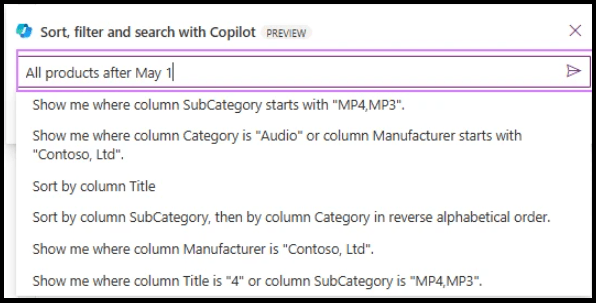
Power Apps – Copilot
An important announcement has been made by Microsoft. 💠 With the latest release, we can now use Copilot to filter, sort, and search items in Galleries. 💠 Copilot then narrows down the records to meet the query. 💠 It displays a “Filtered” badge in the top right corner of the gallery. The exact query executed…
 BEYOND THE PLATFORMS