
As promised in the article you can find here (link)
there is another topic that I consider fundamental.
In general, optimizing resources, activities, time, and much more is a delicate issue. Delicate because the final result depends on this. Even in Agents, there are best practices when dealing with Generative AI.
Problem:
We are aware that AI is not perfect and depends on various aspects. Therefore, it is necessary to reduce errors and hallucinations in the generated responses.
Settings:
In Copilot Studio, during the creation of an Agent, we can define the “Knowledge base”, that is, the knowledge, but we also need to clarify the content.
There are several possibilities to define the Knowledge:
– Website URL.
– Uploaded docs.
– Desired moderation level.
Generative answers with custom instructions:
There are settings and customizations we can apply beyond the generic settings page of Generative AI.
In fact, there is the possibility to add generative responses to the node on each Topic, to be even more precise and narrow down the scope.
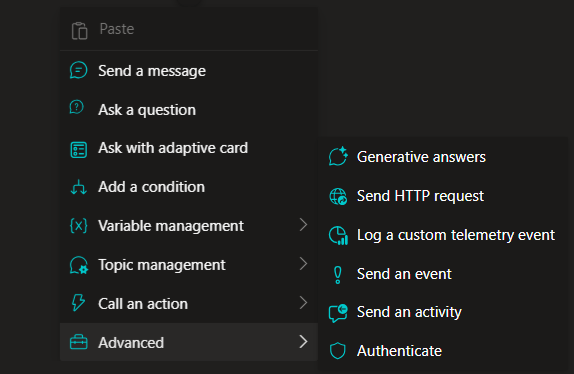

After clicking “Create generative answer”, we can optimize the prompts.
– Include fields.
– Select specific data sources.
– Create customized instructions.
*Customized instructions are extremely important for our agent’s response and have a high return on investment, but they are often ignored.
By clicking on “…” and then on “Properties” a panel opens, and from here we can insert our specifications.

Knowledge sources:
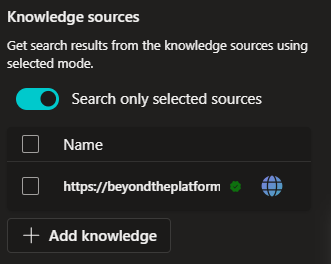
For each node of each Topic, we can decide whether to use all the loaded Knowledge or select a limited number of items; this provides more precise context and is relevant if we are aiming for a defined output.
Classic Data:
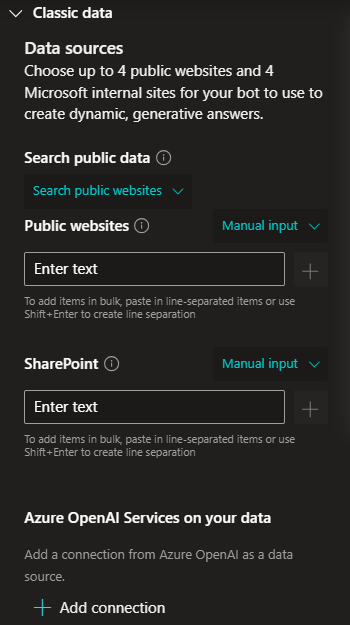
This is the setting that allows us to insert Public websites, SharePoint, or even Azure OpenAI Services. Within the node, we have another level of customization.
Content moderation level:
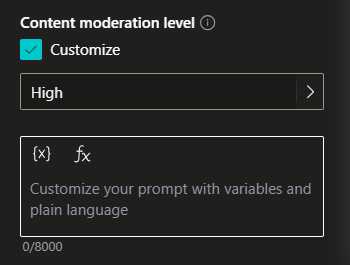
Within this setting, we can insert custom functions adaptable to the node and also select the moderation level.
Boom Done 💣
Follow me:
 BEYOND THE PLATFORMS
Leave a comment