
Copilot in Power BI: your new ally for truly understanding your data
In the world of data analysis, real value lies not only in the numbers but in the ability to ask the right questions. And today, with the latest updates to Copilot in Power BI, this process becomes even more natural, conversational, and powerful.

Data that answers
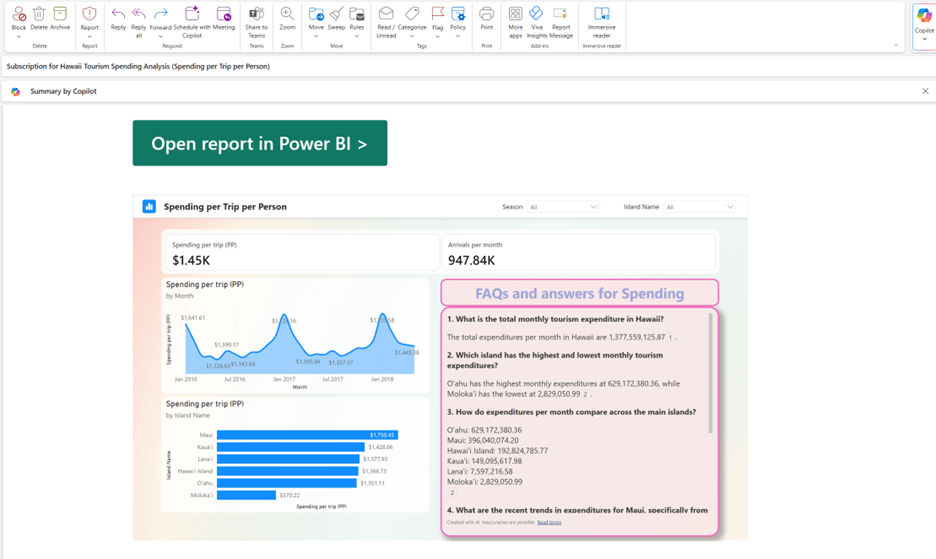
Copilot is no longer just an assistant generating visualizations. It has become a truly intelligent conversational partner for your reports. Now you can:
- Ask questions in natural language directly on your reports.
- Explore data with guided suggestions and automatic explanations.
- Understand trends without having to write a single line of DAX.
And all this happens within the context of your data, with increasingly refined semantic understanding.
Privacy and governance: now for Europe too
One of the most important updates concerns data management and privacy. Microsoft has announced that:
- Prompts are no longer saved for abuse monitoring.
- Data from European tenants remains within the EU perimeter, with no need to enable cross-geo settings.
- Capacity admins can now autonomously manage Copilot activation, without having to go through the tenant admin.
DAX, hierarchies, and context: Copilot becomes more of an “analyst”
Another update sure to please analysts: Copilot can now write DAX queries using custom hierarchies and semantic folders. This means it can:
- Better understand the structure of your data.
- Generate more relevant and efficient queries.
- Reduce the time needed to move from insight to decision.
Why this matters
In a context where analytics teams are increasingly called upon to turn data into decisions, tools like Copilot are not just “conveniences.” They are accelerators of understanding. And when understanding is widespread, even those who are not experts can contribute with questions, insights, and ideas.
Boom, done 💣!
Follow me:
 BEYOND THE PLATFORMS
Leave a comment