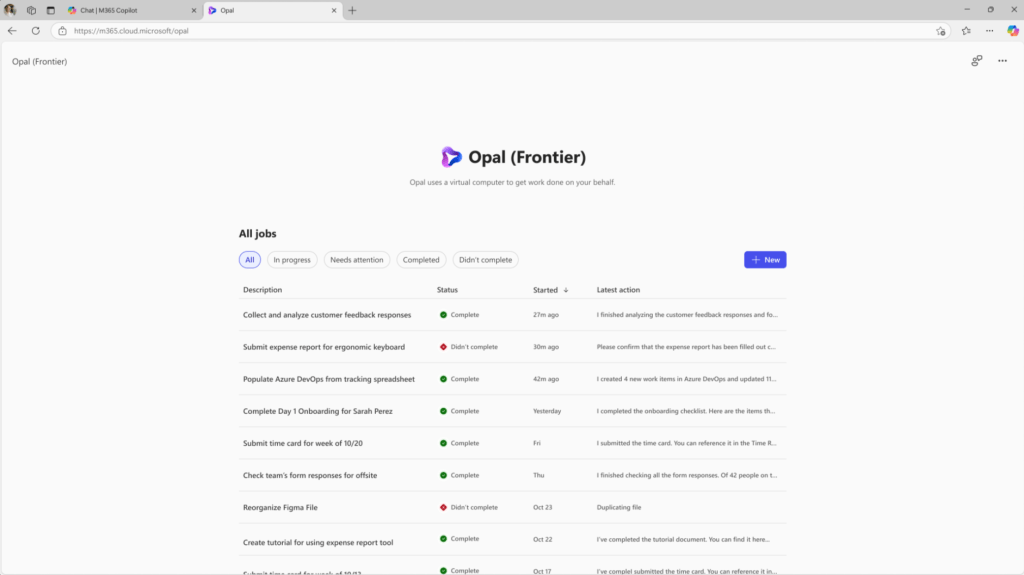
During Microsoft Ignite 2025, many new features were unveiled, and one that particularly caught my attention was Project Opal.
What is it?
A new feature integrated into Microsoft 365 Copilot designed to revolutionise the way organisations manage repetitive and manual tasks. The goal is clear: to free up valuable time for strategic and creative activities by automating complex processes in a safe and fully observable environment.
Why was Project Opal created?
Every company faces challenges related to operational tasks that require significant time, such as:
- Collecting evidence for compliance audits.
- Managing approval workflows for secure memberships.
- HR procedures such as submitting timesheets or holiday requests.
- Onboarding new employees, including configuring access and ordering devices.
How does Project Opal work?
Users access Opal via the Frontier module in the Microsoft 365 Copilot app. From here, they can:
- Start a new job by describing the task.
- Let Opal create a plan, launch a secure Windows 365 Cloud PC, and use an advanced reasoning model to complete the work.
- Monitor every action in real time, intervene when necessary, and guide the process.
Main features include:
- Task-First Experience: Jobs are observable and can be modified at any time.
- Advanced Reasoning Model: Translates the request into a dynamic plan, adapting along the way.
- Computer-Use: Performs actions in Microsoft Edge on Cloud PC, simulating human interaction.
- Real-Time Observability: Allows you to watch the work live or review it later.
- Steerability: The user can intervene in the case of sensitive input.
- Admin Controls & Security: Access governed by allow lists and granular controls.
Security and Control
Project Opal is designed with enterprise-grade security:
- Each job runs on a dedicated Cloud PC, Entra-joined and Intune-enrolled.
- Independent supervision to monitor the model and enforce guardrails.
- Ability for the user to interrupt or take control at any time.
- No screenshots are saved when the user is in control.
Boom, done 💣!
Follow me:
 BEYOND THE PLATFORMS
Leave a comment