Vibe Coding and Power Apps
Vibe Coding is a new approach to low-code development based on artificial intelligence, transforming ideas into apps through simple natural language prompts.
With Power Apps Vibe , you don’t write code: you interact with the AI and in just a few minutes get working prototypes, ready to be refined and published.
If you have already experimented with Power Apps or are a developer on this tool, you know how complex the development process can become:
- Defining the data model
- Designing the screens
- Logic
- Formulas
- Connections
Vibe changes everything: just describe what you need and in a few minutes you get a complete prototype — data model, interfaces, logic, and navigation — without writing a single line of code .
What is Power Apps Vibe?
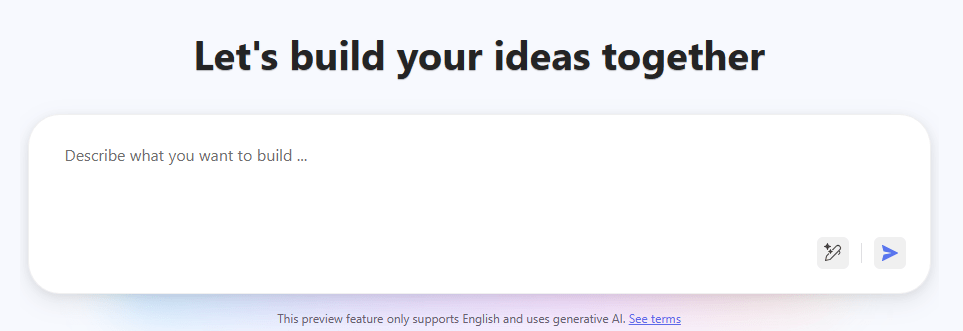
Power Apps Vibe is the AI-driven development experience announced by Microsoft: a low-code environment where you converse with AI, enter a preview with a clean interface and a central prompt where you write in natural language what you want to create.
Why does Vibe change the rules of the game?
Organizations often struggle with:
- long development cycles
- lack of technical skills
- difficulty translating ideas into working apps
- prototypes that are slow to define
Vibe overcomes these limits, allowing business analysts, technical users, and developers to generate a solid foundation starting from a prompt in seconds.
The result?
Halved timeframes, reduced errors, and immediate validation of requirements.
How it works: step by step
- Describe the app: in my case I enter “
Create a business app to manage all internal requests, including technical requests (software and hardware purchases) and office supplies. The app should feature a modern home page with a Christmas theme , using festive colors (red, green, white, gold accents) and minimal holiday icons (trees, snowflakes, decorations).
- Create a new request
- View submitted requests
Each request must include the following mandatory fields:
- Description (free text)
- ID (auto-generated)
- Registration Date (auto-populated)
- Priority (Low, Medium, High)
- Status (In Progress, Approved, Completed)
The layout should be intuitive, responsive, and professional , with clearly visible buttons and simple navigation.
“
- Generate the draft: the system automatically creates tables, fields, screens, logic, and flows
- Click “Create App”: Vibe builds a complete web app you can try right away
- Refine with natural language (“enlarge field”, “add search”) for quick changes
- Connect to real data: go from draft to connecting to Dataverse, SQL, SharePoint, and publish
- Publish and share: return to the standard Power Apps environment and make it available to the team
And that’s not all! By using the ‘Toggle inline edits’ feature, the user can select a portion of the app, a component, or a button and modify it in detail.
The available menu
Vibe allows you to use natural language instructions without worrying about code, while still giving you the ability to view plans, data, apps, and code.
The big expectation is to be able to edit the code directly from the browser — that would truly be revolutionary!
What is it useful for?
Vibe shines in key scenarios:
- Express prototypes: from idea to demo in just a few minutes
- Internal administrative tools
- Dashboards and line-of-business apps
- Automation of repetitive processes
- Wireframes for stakeholder discussions
What’s important to know?
- You cannot import/export in Canvas Studio
- Only one app plan is valid per creation
- Existing Dataverse tables are not suggested automatically
- Some details still require manual adjustments
Conclusions
Power Apps Vibe represents a milestone in the low-code philosophy: a conversational tool that turns your idea into an app ready to be tested. It’s a true paradigm shift — from manually writing formulas and screens to an intelligent dialogue that means more speed and more value.
If you want to try it out, visit the preview at vibe.preview.powerapps.com and type your first prompt — the result might surprise you.
Boom, done 💣!
Follow me:
 BEYOND THE PLATFORMS
Leave a comment