Tag: copilotstudio
-
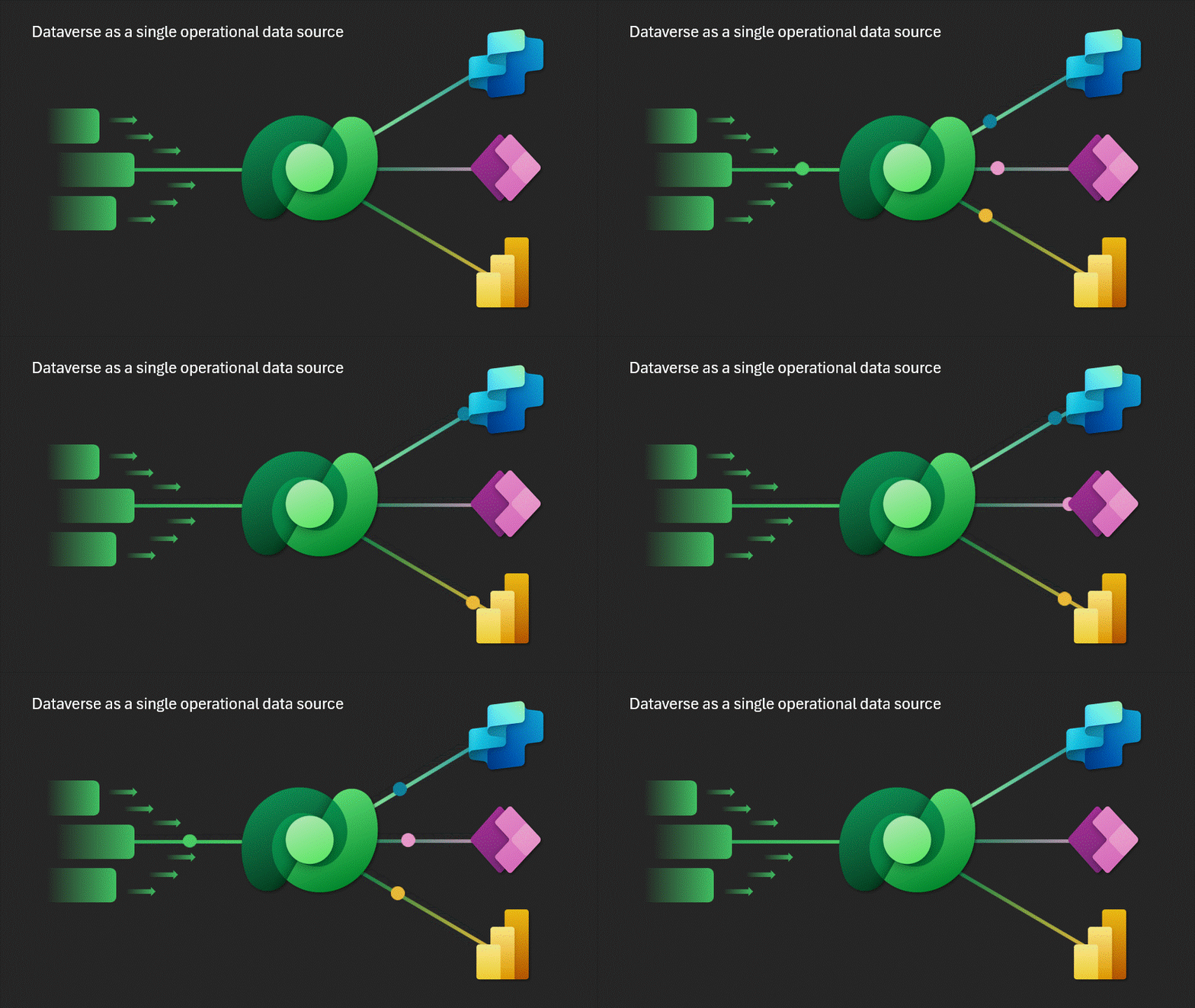
Microsoft Dataverse Capacity for Multi-Agent
With the announcement of the new functionalities of Microsoft Dataverse, Copilot Studio transforms into a true operating system for hybrid human-agent teams—a quantum leap towards orchestrated AI. During Microsoft Build 2025, amidst keynote addresses and futuristic demos, one announcement captured the attention of those looking beyond the surface of platforms: Dataverse evolves to become the…
-

Microsoft Build 2025
Microsoft Build 2025: The Era of AI Agents and the Intelligent Web The Microsoft Build 2025 has marked a turning point in the company’s vision for the future of artificial intelligence, with a clear focus on AI agents, the evolution of the Web, and deep integration of AI into Microsoft products. The event, primarily aimed…
-

Power Automate – The Next Frontier
Power Automate and Intelligent Automation: The Future is Already Here In the ever-evolving landscape of business automation, Microsoft Power Automate is emerging as the catalyst for a new era: that of intelligent automation empowered by generative artificial intelligence. But what does “intelligent” truly mean in the context of automation? And why is it more relevant…
-

Copilot Studio – Security
Managed Security and Proactive Governance for Enterprise AI Microsoft Copilot Studio continues to evolve as a strategic platform for building conversational and autonomous agents, offering organizations the ability to transform their business processes without requiring advanced development skills. However, with the power of automation comes the responsibility to ensure security, transparency, and control. During Microsoft…
-
Create Invoices Effortlessly with Copilot Studio: A Step-by-Step Guide
Discover how to streamline your invoicing process using Copilot Studio! In this video, we walk you through creating an intelligent agent that collects user information through targeted questions and generates invoices automatically. Learn how to set up the agent, customize your questions, and send invoices via email with ease. Watch now and transform your invoicing…
 BEYOND THE PLATFORMS