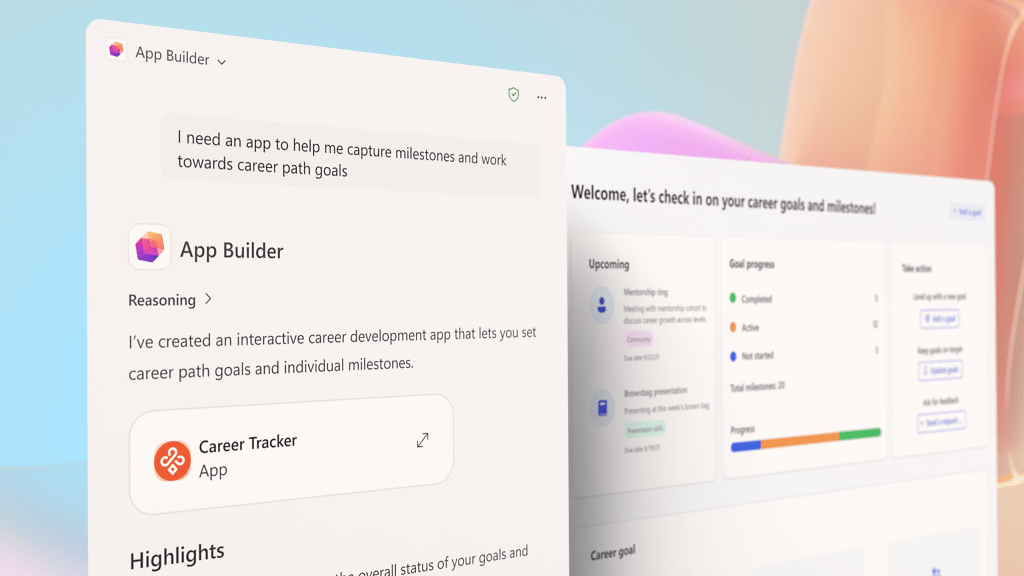
Have you ever wanted to create an app in just a few minutes, without writing a single line of code?
Microsoft 365 Copilot Revolutionizes App Creation with App Builder
Microsoft has announced a new evolution of Copilot, its AI assistant integrated into Microsoft 365, which now allows users to create apps, automate workflows, and build conversational agents simply by describing what they need in natural language.
App Builder: Create Apps in Minutes

With the new App Builder, available for users in the Frontier program, you can build interactive apps without having to set up databases or write any code. Users can create dashboards, charts, calculators, lists, and other interactive elements—all within the Copilot experience. The apps are based on Microsoft 365 content (documents, presentations, spreadsheets, notes) and can generate and store new data using Microsoft Lists. Sharing is simple: just use a link, as you would for any document.
How Does It Work?
I start from an idea.
This is the prompt I use:
“Develop an application dedicated to the Sales department, designed to support the management and storage of information related to meetings with existing and potential clients.
Main features:
Home Page: entry point to the main sections of the app.
Meeting Data Entry: a page dedicated to recording the details of each meeting (date, client, notes, follow-up).
Meeting List: a section that allows viewing and consulting the complete history of meetings held.”
Describe your idea in chat and watch the app take shape before your eyes. You can refine your app with subsequent conversations, adding features, changing logic or layout, without ever starting from scratch. It’s a real agile development cycle, but without the technical complexity.
Unleash your creativity both in terms of technical aspects, logic, and layout!
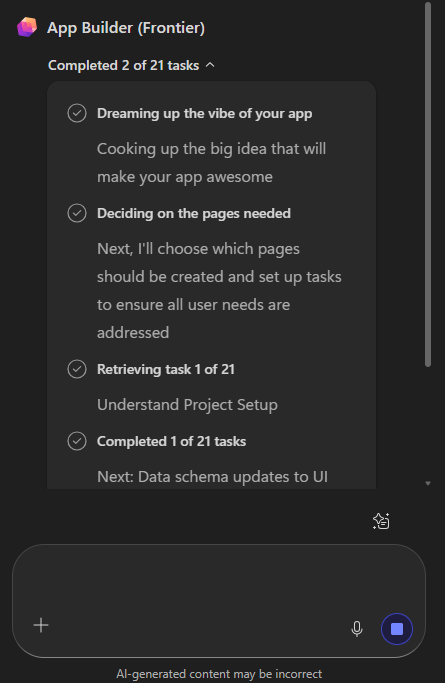
The task progress process is on the left and appears like this:
Pros
- No-code app creation:Allows you to turn ideas into applications simply by describing them in natural language, with no programming skills required. Ideal for business users and citizen developers.
- Native integration with Microsoft 365:Created apps are based on Microsoft 365 data and services (Excel, SharePoint, Lists), adhering to existing security and governance models.
- Rapid iteration and multi-turn editing:You can refine the app through subsequent conversations, without having to start over. This approach simulates the agile development cycle.
- Simple and secure sharing:Apps are shared like documents, inheriting Microsoft 365 permissions, with no complex configurations.
- Early access to AI innovations:As part of the Frontier program, it allows you to try out next-generation Copilot features and contribute feedback.
Cons
- Preview features (not final):Frontier is an early access program: features may change, be limited, or withdrawn without notice.
- Lack of advanced integrations:Does not support connections to external data or custom APIs. The apps are “lightweight,” based on Microsoft Lists or SharePoint.
- Limited scalability and complexity:Does not replace Power Apps or enterprise solutions: it’s designed for simple apps (e.g., dashboards, lists, RSVP).
- Limited geographic availability:Currently only active for US tenants in the Frontier program, so it’s not global yet.
- Additional management and governance:Each app creates a dedicated SharePoint site, increasing management complexity for administrators.
Try It Now!
App Builder is your gateway to a new era of productivity and innovation.Try it now, unleash your ideas, and transform the way you work!
Want to see some Vibe Coding on Power Apps?
This is an unedited video created a few days ago. In just 3 minutes, I created the data structure, functionality, and the app.
Boom, done 💣!
Follow me:

 BEYOND THE PLATFORMS
Leave a reply to AI fïed Cancel reply