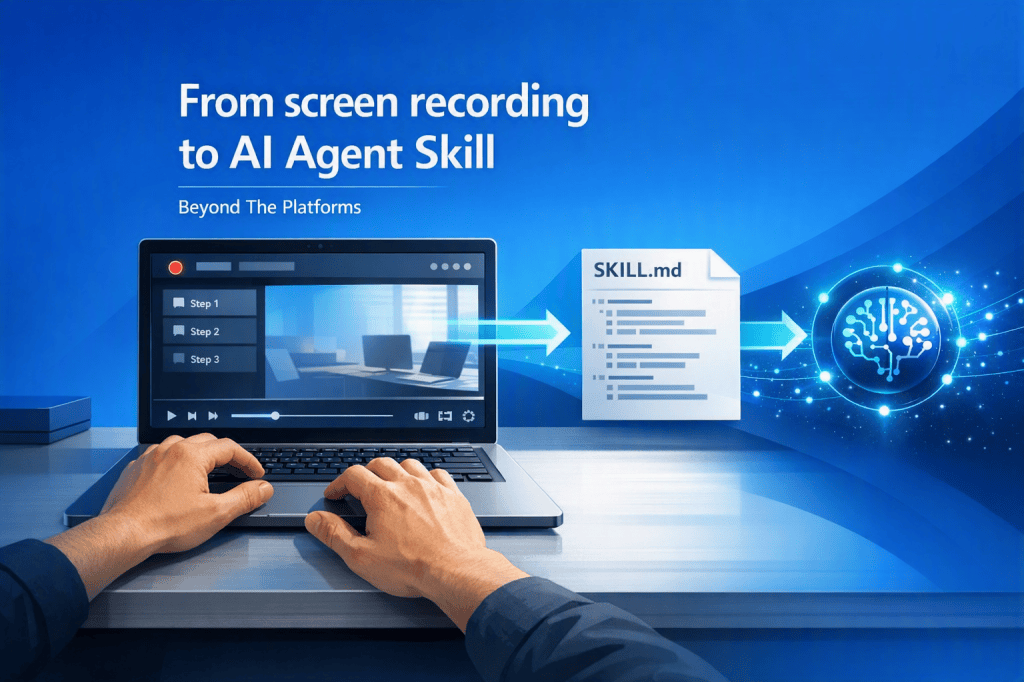
I taught a procedure to an AI Agent simply by recording my screen
Over the past few months, we have seen a real acceleration around AI agents: Skills, MCP Servers, orchestration, intelligent automations, and new ways to turn operational activities into reusable capabilities.
The question I hear most often during courses, events, and projects is always the same: how long does it really take to teach an agent to perform a procedure?
Microsoft is trying to answer this question with a very interesting project: Skill Recorder.
| The idea in one sentence You record a procedure once, and AI tries to turn it into a reusable Skill. |
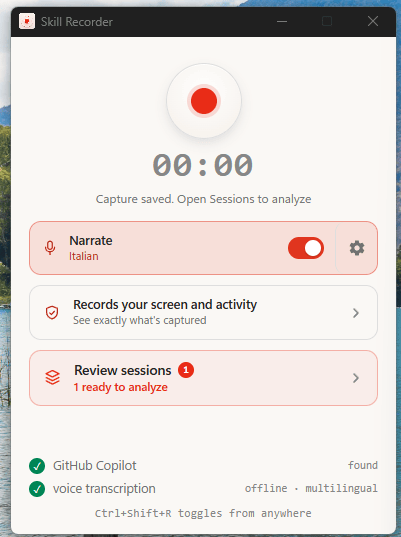
We are not talking about a macro. We are not talking about traditional RPA. And most importantly, we are not talking about recording a rigid sequence of clicks.
The point is different: observing an activity performed by a person and converting it into a procedure that an agent can understand, describe, adapt, and reuse.
What Skill Recorder is
Skill Recorder is a Microsoft open-source project that makes it possible to record a desktop work session and turn it into a Skill. During the recording, it can collect elements such as:
- desktop activity
- window changes
- web navigation
- clicks and interactions
- optional voice narration
Once the recording is complete, GitHub Copilot analyzes what happened and tries to reconstruct:
- the goal of the procedure
- the logical steps
- the required inputs
- the expected results
- an exportable Skill
This is the most interesting part: AI does not only try to understand where we clicked; it tries to interpret what we were trying to achieve.
Installation and configuration
Installation requires a GitHub account with access to Copilot. On Windows, the procedure uses PowerShell and a specific release commit, so that a precise version of the project is installed.
| $commit=”<commit>” $env:SKILL_RECORDER_COMMIT=$commit irm “https://raw.githubusercontent.com/microsoft/skill-recorder/$commit/install.ps1” | iex |
On first launch, the application requires a few configuration steps:
- checking that GitHub Copilot is available
- GitHub authorization through Device Code Flow
- enabling screen recording
- optional voice transcription configuration
- opening the Skill Recorder interface
| Practical note Voice transcription is not mandatory for the first test. You can start by recording only the screen and activity, then enable voice at a later stage. |
How recording works
The experience is intentionally simple: you press Record, perform the procedure, and then ask the application to analyze the session.
| Phase | What happens | Expected result |
| Record | The user performs an on-screen procedure normally. | Session saved and ready for analysis. |
| Analyze | GitHub Copilot interprets the completed activity. | Intent, steps, and operational logic. |
| Plan | Skill Recorder structures the procedure into a Skill. | Name, description, inputs, outputs, and steps. |
| Export | The Skill is exported as an editable artifact. | SKILL.md file ready for review and versioning. |
The intermediate step is essential. Skill Recorder does not simply generate a transcript of clicks; it builds a representation of the activity made up of intent, procedure, suggested tools, inputs, outputs, and edge cases.
What gets generated
The final result is a Markdown file named:
| SKILL.md |
This file can contain:
- technical name of the Skill
- description
- operational instructions
- required inputs
- expected outputs
- step-by-step procedure
- notes and edge cases
The fact that the output is a readable and editable file is an important detail. It means the Skill can be reviewed, improved, versioned, and treated as a true project artifact.
Important note about Copilot Studio
During the test, one very interesting aspect emerges: the generation interface already shows an option dedicated to Copilot Studio, but at the moment it is still marked as Coming soon, at least in Italy.
This means that direct integration is not yet available in the version I tested, but the direction seems clear: bringing this kind of experience into the Copilot Studio world as well.
In any case, once the SKILL was generated, I tried uploading it to Copilot Studio, and it worked very well.
| Key point The direct Copilot Studio feature is not available yet, but the exported SKILL.md file already makes it possible to analyze the generated structure and think through potential future scenarios. |
Why this technology is interesting
The real innovation is not the recording itself. The real innovation is the shift from observed work to reusable capability.
Imagine a future where a business user could:
- record a real procedure
- have it analyzed by AI
- review the generated Skill
- publish it in an agentic environment
- reuse it in different contexts
In this scenario, creating new capabilities for an agent might no longer start from a blank page, but from observing real work.
The question I have for you
If you had the opportunity to record a procedure and automatically turn it into a Skill for an AI agent, which activity would you record first?
I am curious to understand which use cases you see as most promising, and which procedures you think would deliver the most value if they could be transformed into a reusable Skill.
Conclusions
Skill Recorder is still in its early days, but the potential is clear. The idea of observing work performed by a person and converting it into reusable capabilities for an AI agent could change how we design automations, Skills, and agents in the coming years.
I will keep experimenting with it, and in the next few days I will publish a full video on my YouTube channel showing installation, configuration, GitHub authorization, Skill recording, AI-generated analysis, and export of the SKILL.md file.
The most interesting part, most likely, is still to come.
Boom, done 💣!
Follow me:


Leave a Reply